So as an owner of an iPod touch and an iPhone I am excited that Apple has released the
iPad. The biggest reason I don't have one is that they aren't available in Canada yet. I was also holding out for one which had 3G instead of just wi-fi capability - good news is that this is being rolled out April 30th (tee hee, can you tell I drafted this post last week?).
 |
| My hubby says it looks like a big iPod touch but it's so much more |
Just like the iPhone you can use it vertically or horizontally see?
These are some accessories you can get to make it more useful - the keyboard with dock is great and I like the stand that makes it into a big digital photo frame.
And probably the most useful feature of all for me as a lover of lemony fanfic? You can read your fanfic on it offline in Stanza, just like on the iPhone and iPod touch.
 |
| iPad makes a great eReader for bringing your fanfic with you |
Above is the Kindle bookshelf for those of you who prefer to buy your regular ebooks. For those who just want to read Twilight fanfic on their mobile then you can convert the stories to a file that you can upload to your bookshelf. Just see my post
here on how to do that.
Note - Stanza for iPhone apparently looks pretty bad on iPad. Most people suggest using iBook and uploading epub fanfic files into itunes. You can generate the epub files with the Fanfic Downloader web app.
 |
How a typical story looks in landscape mode. This is more like it.
|
Twilight wallpapers to pretty up your iPad.
So when I do get my iPad I expect to be able to pretty it up just like my iPhone and iPod touch. I went looking for iPad Twilight wallpapers and came up with only less than 20 of them. The places I found them were
http://www.coolipadwallpaper.com/ and
Digital Citizen.
What is so special about iPad wallpapers and why can't you just use some random desktop one?
I found this
great post at Digital Citizen explaining why you'll have a problem using just regular desktop wallpapers.
Essentially, the iPad has a screen that is 1024 X 768 pixels. You can use it horizontally or vertically. Regular desktop wallpapers are meant for a horizontal screen. In some tablets PCs that can rotate, like the HP one that my husband uses, when you switch to a vertical position the wallpaper gets squished to tall and skinny eg. very distorted. The great thing is the iPad doesn't squish your wallpaper BUT it will crop it to be tall and skinny. So no distortion but you better hope that your wallpaper didn't have something important (like Rob's head) in the sides that are going to be cropped off.
 |
How a regular desktop wallpaper looks on the iPad.
Not bad if you don't mind the new moon title being cut off.
It just looks a bit messy. |
So what to do? If you don't care just go ahead and stick any old horizontal wallpaper in there. It will probably work and if you don't use it vertically often then it's fine. If you are type A like me and want your screen to look perfectly pretty Twilight style horizontally and vertically then you need an iPad specific wallpaper.
The correct proportions are a square 1024 X 1024 pixels. That way regardless of which way you are holding your iPad nobody's head gets cut off.
 |
| Much better. Neat and clean. |
So, following the guidelines of the post from Digital Citizen and testing it in this
awesome iPad screen emulator I made a few wallpapers of my own. These are not the super gorgeous ones I know that my talented photo girls in the Twilight blogosphere can do but they'll do for now.
Almost all the original images that I used to make these wallpapers came from
Lion & Lamb Love. They have an absolutely huge collection of high quality of Twilight related images.
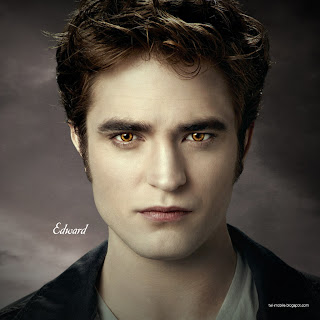
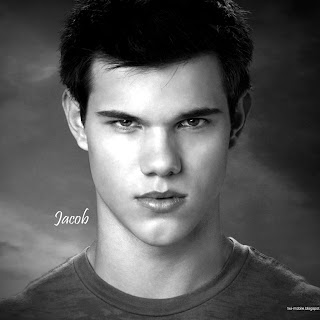
Here's a few to get you started.
Important: Click on picture to download - right click will only get you a thumbnail.
For a tutorial on how to get these wallpapers onto your iPad or iPhone click here.
Let me know what you think or if you have questions.